

User guide · getting started · 6 min read
Three minutes from curious to logged in.
Three minutes from I want to try this to logged in. Card payment goes through Stripe’s secure hosted checkout, we never see your card number, you never type it into our forms.
 Card details go straight to Stripe. They never touch a GardenBuddy.au form.
Step-by-step walkthrough
Three minutes end to end for a paid tier; under two for Free. Here’s exactly what happens.
-
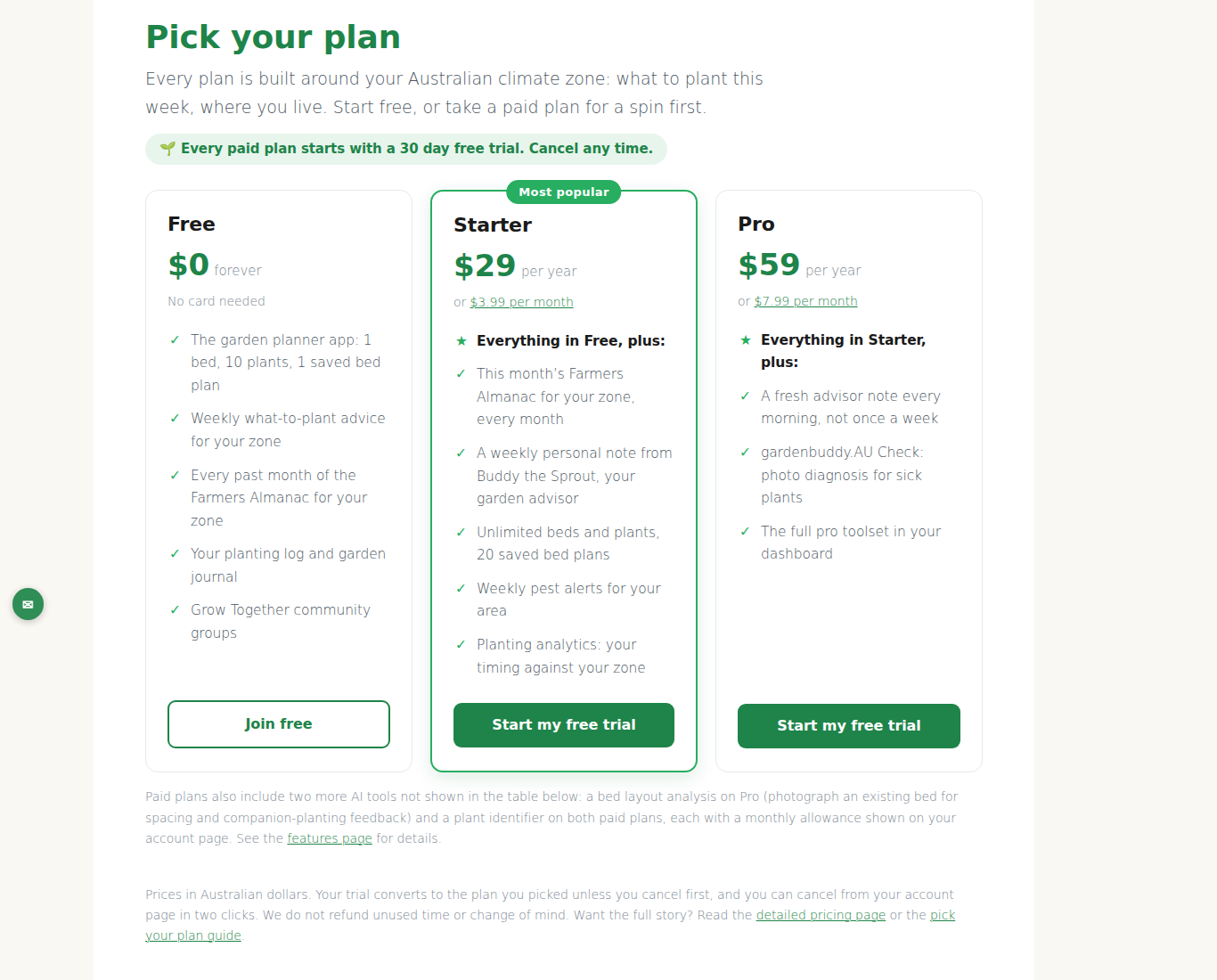
Open the membership levels page.
Navigate to /my-account/membership-levels/, five cards appear for Free, Starter Annual, Starter Monthly, Pro Annual, Pro Monthly. Each card shows the price, billing interval, and a one-line summary of what’s included.
-
Click “Select” on your chosen tier.
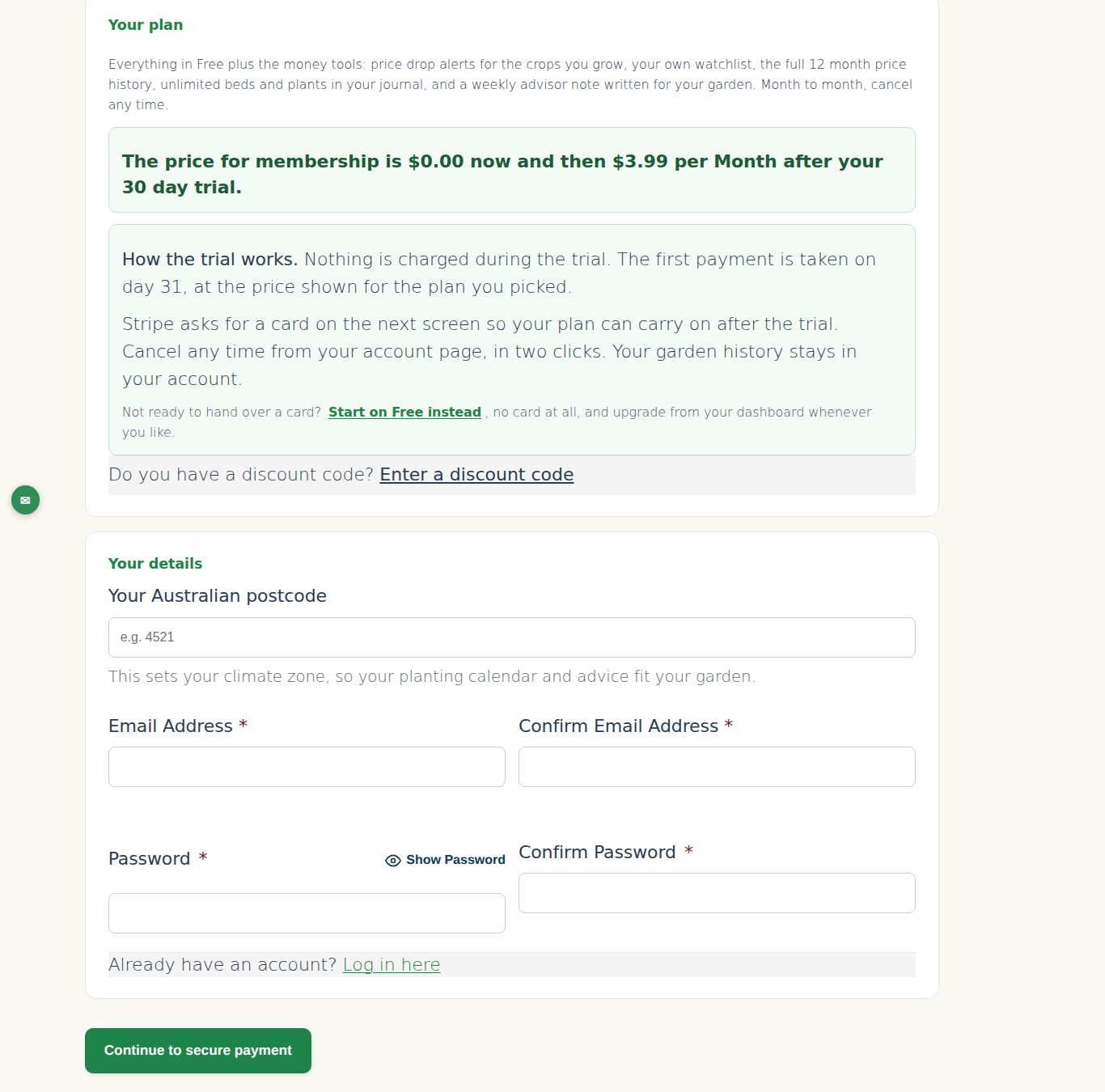
You land on the checkout form. The top of the page confirms which plan you’re signing up for, double-check it before filling. Wrong tier? Click back and pick again.
-
Fill the four account fields.
- Username, anything memorable, no spaces or slashes. Used for login.
- Password, minimum 8 characters, mix of letters and numbers. Form rejects weak passwords.
- Email, real and reachable. Used for receipts, password resets, digest emails.
- Confirm email, retype it to catch typos.
-
Skip the “Full name” field.
It’s a honeypot, invisible to humans, visible to bots. Leave it blank. If you fill it, we’ll flag your signup as a bot and reject it.
-
Click Submit.
Free tier finishes here, you’re redirected to a confirmation page and logged in. Paid tiers get redirected to Stripe for card entry.
-
(Paid tiers) Enter card on Stripe.
URL changes to
checkout.stripe.com/.... You’ll see the plan summary and a card form. Enter the card number, expiry, CVC, cardholder name, postcode. Apple Pay / Google Pay show up above the card form if configured on your device. -
Click Pay.
Nothing is charged today. Every paid plan starts with a 30 day free trial, so Stripe saves the card and the first charge lands after the trial ends. On success you’re redirected straight to your
/dashboard/on GardenBuddy.au, already logged in, membership active.
What happens behind the scenes
Useful to understand in case something goes sideways.
| Step | What’s happening | Timing |
|---|---|---|
| Form submit | WordPress validates fields, creates user record (status: pending payment for paid tiers) | Instant |
| Redirect to Stripe | GardenBuddy.au creates a Stripe Checkout Session with plan price, your email, signed return URL | ~1s |
| Stripe saves card | Stripe verifies and saves the card, $0 today, first charge after the 30 day trial | 2–5s |
| Webhook → activate | Stripe sends a webhook to GardenBuddy.au; PMPro activates your membership (status: active, level: your tier, next_payment_date set) | ~1s after Stripe success |
| Browser redirect | Your session lands on /dashboard/ with a welcome tour, logged in automatically | Instant |
| Confirmation email | Welcome email queued via Post-SMTP to your inbox | <60s |
Card numbers go straight to Stripe (PCI-DSS Level 1 certified). We get back a customer ID and a charge confirmation, never the actual card number. If a website asks you to enter your card directly into its own form, be careful, that site is taking on PCI compliance liability, often without the controls to handle it.
Cards we accept
Through Stripe’s hosted checkout:
- Visa, all variants (debit, credit, prepaid)
- Mastercard, all variants
- American Express, Stripe handles the surcharge; we don’t pass it on
- Apple Pay / Google Pay, auto-detected on supported devices
Zip, Afterpay, and similar BNPL services aren’t supported for subscriptions.
If something goes wrong
“This email is already registered”
You signed up before, possibly with a different tier, possibly months ago. Use the password reset link to recover that account, then upgrade/downgrade from there rather than creating a duplicate account.
Stripe says “card declined”
First: try the same card again (sometimes a transient bank check fails). If it still declines:
- Call your bank, Stripe is registered in Ireland; some Australian banks block international-processor charges by default.
- Check if the card’s daily online-spend limit is hit (business cards especially).
- Try a different card, Visa/Mastercard most reliable.
Stripe completed the payment but you land on an error page
Don’t panic, Stripe has the money, our webhook just didn’t land. Email support with your Stripe receipt (the email from Stripe, not from us) and we’ll fix it within a business day. You won’t be charged twice, Stripe locks out duplicate attempts on the same session.
The only place you’ll see a card form on a GardenBuddy.au flow is on checkout.stripe.com. If something on gardenbuddy.au asks for your card number in a form, close the tab and email us, it’s a compromised session or a spoofed page.
What happens immediately after signup
- Confirmation email within 60 seconds. Check spam if it doesn’t arrive.
- Membership active, you have access to /my-garden/ straight away.
- Next payment date set, the first charge lands when the 30 day trial ends, then monthly tiers renew every month and annual tiers every year. Visible on /my-account/.
- Stripe customer record created, your card is saved (encrypted, by Stripe) for future renewals. You can update it any time.
- PMPro user meta is tagged with your tier, enabling the right shortcodes and access rules.
Next up: logging in on return visits and getting oriented on the My Account dashboard.