

User guide · getting started · 6 min read
Don’t take our word for it. Walk through a real garden.
The demo garden is a real vegetable plot in South East Queensland, logged the same way you would log yours. Real seed bought at real prices, real pests sighted and treated, and the coriander that bolted is in there with everything else. This page tells you what to look for while you poke around.
 No login, no email, nothing to fill in. Just scroll.
What the demo is, and what it is not
It is a real subtropical plot, run by the person who built this site. Real seed bought at real prices from Australian suppliers, real pests sighted and treated, harvests weighed on kitchen scales. The seed costs in the notes are what was actually paid.
What it is not:
- Not a made up persona. There is no invented customer with a stock photo. It is one real garden, labelled as a demo.
- Not cherry picked. The slow snow peas and the coriander that bolted are in there with everything else.
- Not anybody’s private data. Member gardens are scoped to their own account and are never shown to anyone else. This one is public because it is deliberately published as the demo.
Everything on the page is worked out from the garden’s real state and today’s weather, so it moves. What is ready to pick, what needs water, what is worth sowing this month, all of it reads differently in February than it does in August. Come back in a season and it will not be the same page.
The six panels at the top
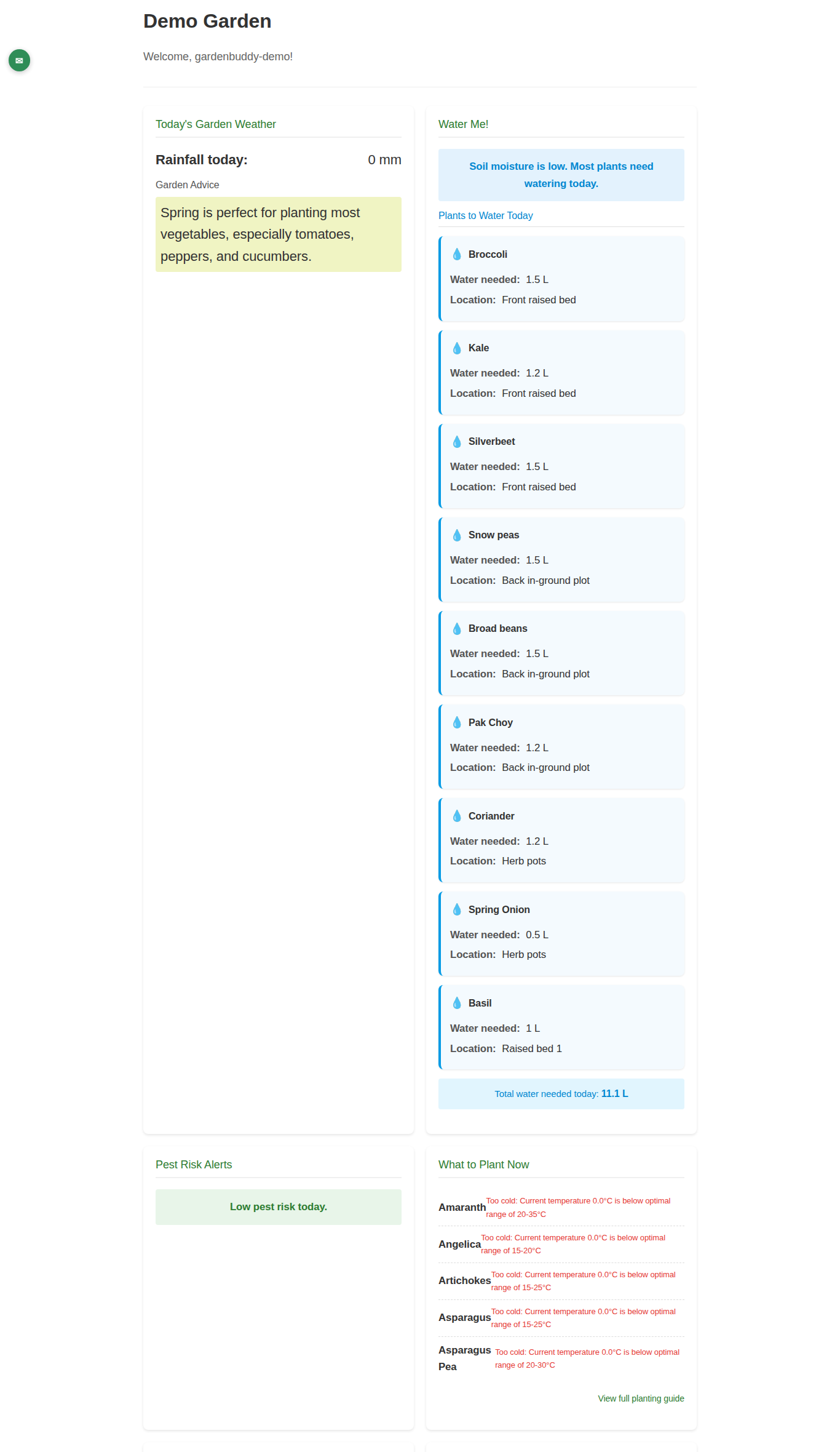
The demo opens with six panels in a grid. They are the daily glance, the things worth knowing before you walk outside.
| Panel | What it tells you |
|---|---|
| Today’s Garden Weather | Temperature, humidity and rain so far today, taken from a local weather station in South East Queensland, plus a short forecast and a note on what the season suits. |
| Water Me! | Whether the soil needs water today, and a 3 day watering outlook so you can decide to wait for rain instead. |
| Pest Risk Alerts | Pest pressure for the current conditions. Warm and humid lifts it, cold and dry drops it. |
| What to Plant Now | Crops worth sowing this month for the climate zone. |
| Harvest Ready | Anything the system thinks has reached its harvest window. |
| Today’s Tasks | The short list of jobs due, watering, sowing, transplanting, pest checks. |
The weather and pest panels are the ones to judge the product on. They are reading live data for a real location, not a stored screenshot.
The garden log
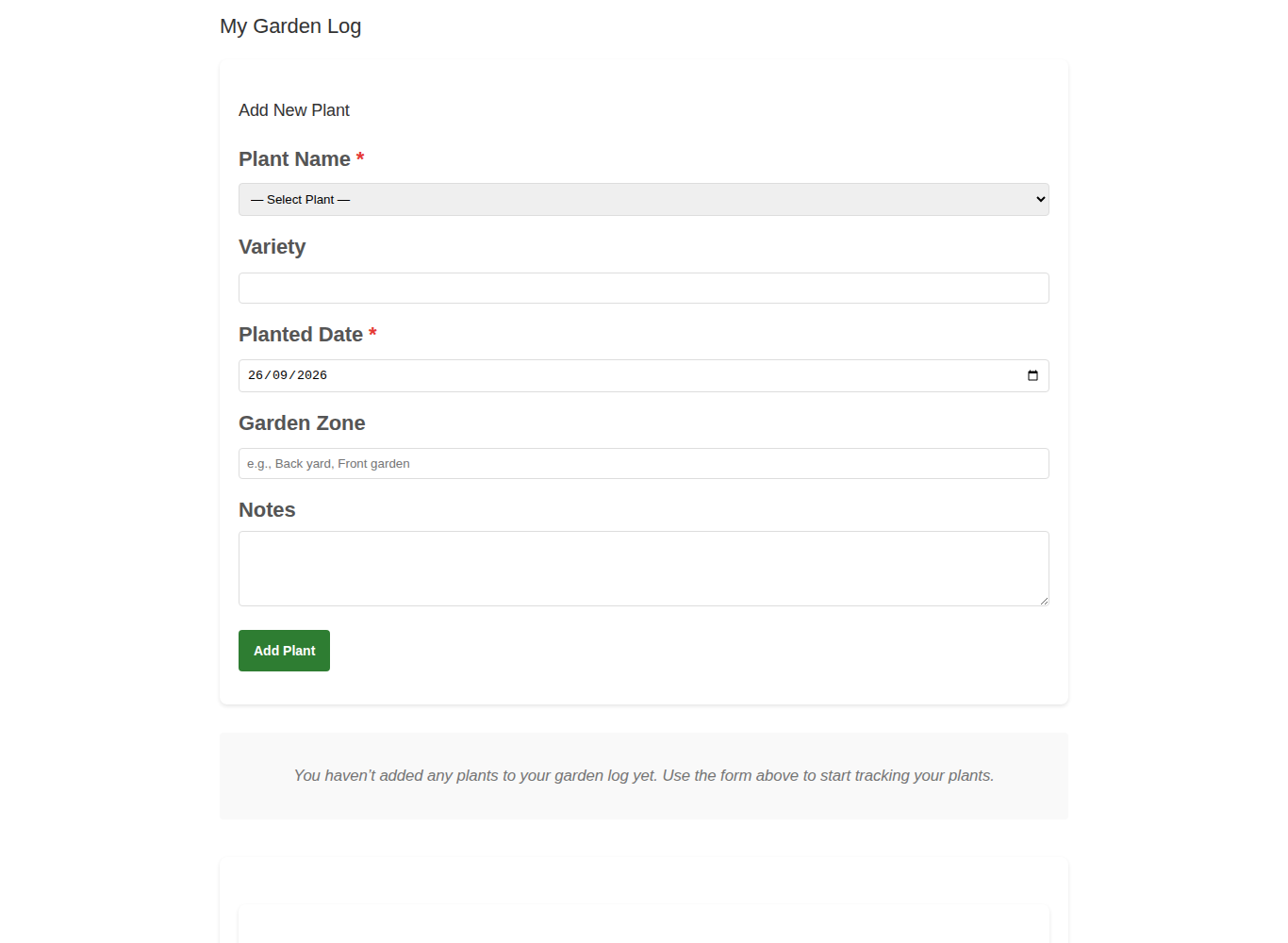
Below the panels sits the log, one card per plant. This is the part worth spending time on, because it is what the whole product is for. Everything on a card was typed in by hand at some point, the same way you would type yours.
How to read a plant card
| On the card | What it means |
|---|---|
| Crop and variety | “Broccoli (Calabrese)”. The variety is optional but it is the difference between knowing broccoli did well and knowing which broccoli did well. |
| Planted | The date it went in. Everything else counts from here. |
| Est. Harvest | Worked out from the planting date and the crop, adjusted for the climate zone. An estimate, not a promise. |
| Zone | Which bed it is in. This is how you compare the same crop in two positions. |
| Stage | Where it is in its life, from seedling through to harvest. |
| Notes | Free text. In the demo these carry the seed source, the packet price and what was learned, for example “Heirloom Calabrese, 100 seeds in packet, $4.50”. |
Read a few of the notes. They are the part a screenshot cannot fake, and they are what your own garden looks like after a season of writing things down.
Email preferences
At the bottom the demo shows the email settings, greyed out. Digest emails and how often they arrive. It is there so you can see what the controls are before you have an account. Nothing is switched on for the demo, and nothing is sent from it.
Where your own garden differs from the demo
The demo page shows a garden. It does not let you change one, and it is not the screen you get after signing up. Your My Garden dashboard is a different, fuller layout.
What you get on your own dashboard that the demo does not show:
- Buttons that do things. Add a garden bed, start seeds in a tray, plant straight into a bed, log a harvest. See Add your first garden bed.
- Per plant care logging. Watered and Fed on every plant, one tap each.
- Grow vs buy, your ROI. What you have picked, valued at today’s supermarket prices. See Read your ROI report.
- Your own postcode and climate zone, so the planting advice matches your garden and not this one.
- Your data out as CSV, on the paid plans.
- GardenBuddy.au Check, photo based pest identification.
The free plan gives you one bed and ten plants, which is enough to decide whether the journal fits how you garden. There is no trial clock running out.
After you have looked
If the plant cards look like something you would keep up to date, the rest follows. If they look like homework, better to know that now than after paying.