

User guide · getting started · 4 min read
Four digits, and the whole site changes.
Four digits, twenty seconds. Your postcode is the one thing GardenBuddy.au cannot work out for itself, and everything else on your dashboard reads from it. Without it the planting calendar has no idea whether you are in Cairns or Hobart, so it stays generic. With it, every list on the site is filtered to your climate zone.
 Your postcode is the one thing the site cannot work out on its own.
Why we ask for it
Australia is not one garden. A tomato that goes in the ground in Brisbane in March goes in around September in Canberra, and never really stops in Darwin. GardenBuddy.au sorts the country into seven climate zones and every recommendation is written per zone. The only way we can put you in the right zone is your postcode.
These are the parts of the site that read from it:
| Feature | What your postcode does for it |
|---|---|
| Plant now panel | Shows the crops you can sow or plant this month in your zone, instead of a national list. |
| Weekly pest alert | Lists the pests active in your zone this week, filtered to the vegetables you ticked. |
| Frost check | Reads the overnight minimums for your area, so it can warn you before a cold night. |
| Supermarket prices | Uses the price data for your state, which is what the ROI figures are built on. |
| Buddy the Sprout Advisor | Writes the note for your season and your zone, not a generic one. |
| Garden tasks and digest | Timing of sowing, transplanting and harvest reminders all shift with the zone. |
The postcode is stored on your account and used to pick a zone and a state. It is not shown to other members, it is not on any public page, and you can change it any time you like from the same box.
Where the box is
Log in and open My Garden. Below the welcome banner and the Advisor card you will find a box called Where you garden. On a desktop it sits in the left column next to Your vegetables. On a phone it is a little further down, under the Advisor card.
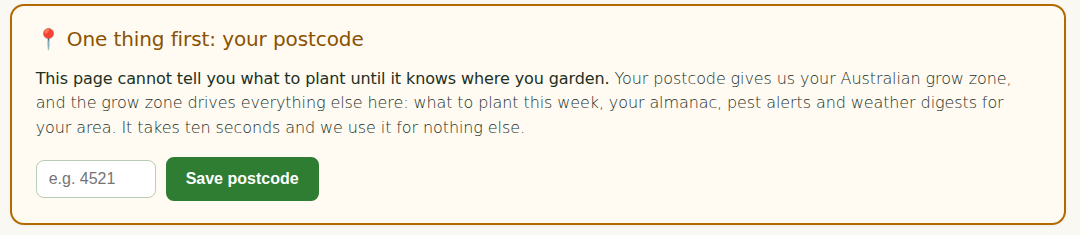
If the box already shows a zone name and a town, you are done. That happens when you told us your postcode during signup, or when you came to the site through one of the zone pages. Nothing more to do.
Add it, step by step
- Open My Garden. Use the My Garden link in the top menu, or the button in any GardenBuddy.au email. The email links sign you in on their own, so there is no password to hunt for.
- Find Where you garden. Scroll past the welcome banner and the Advisor card. The box has a single field labelled Postcode.
- Type your four digit postcode and press Save. Use the postcode of where the garden is, not a PO box. If you garden at a friend’s place or a community plot, use that address.
- Read the result. The box reloads and names your climate zone and the nearest town we matched. If that town is roughly right, you are set. If it is a long way off, see the troubleshooting section below.
What changes once it is saved
You will notice it straight away. The Plant now card appears on the dashboard with this month’s crops for your zone, the Your vegetables list starts driving the pest email for your zone, and the first weekly digest after the change is written for your season. The Advisor note is rewritten on its normal schedule, every morning on Pro, once a week on Starter, so it picks up the new zone at its next run.
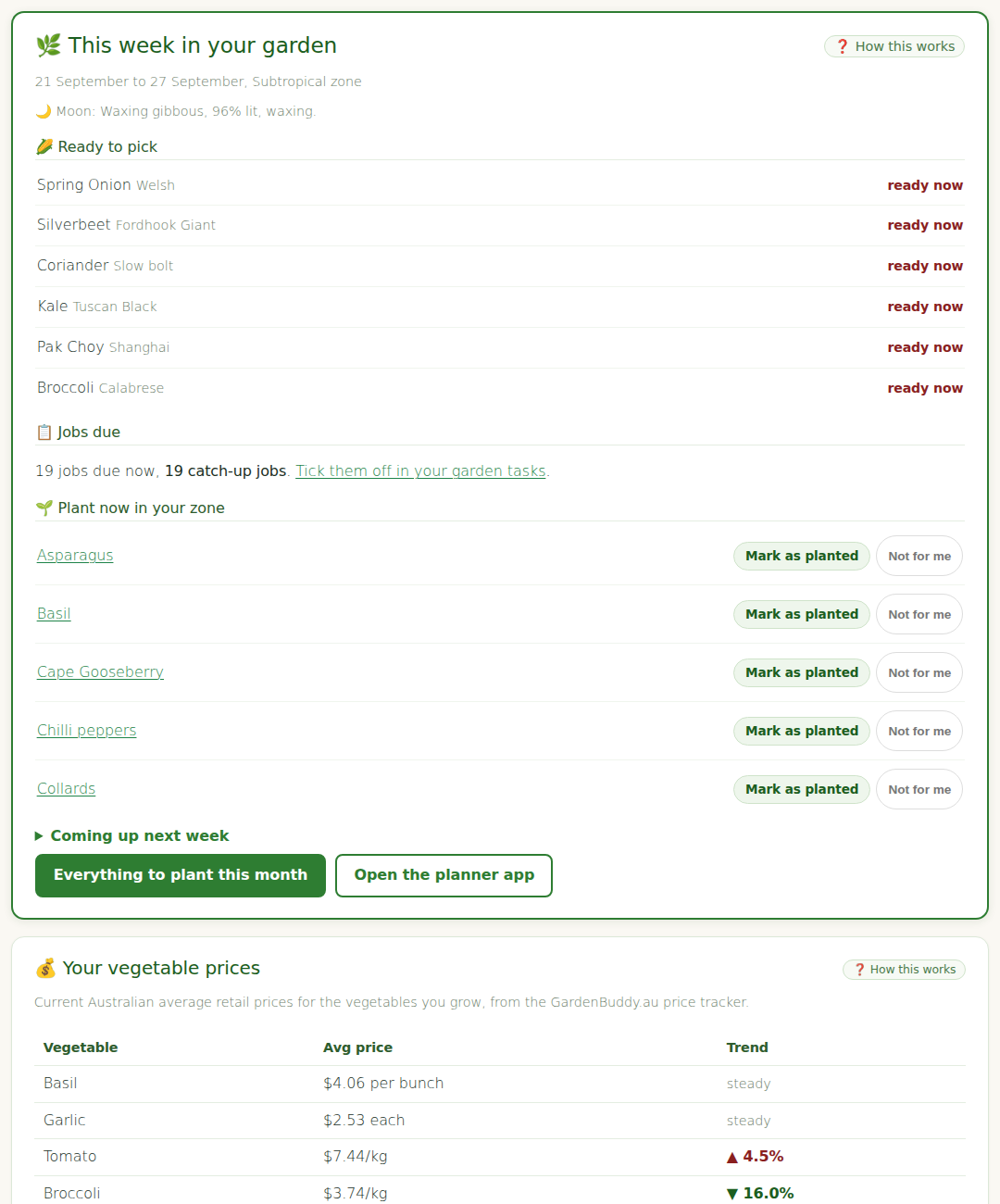
Change the postcode in the same box. Everything retunes to the new zone from the next run. Your beds, plants and harvest history stay exactly as they were.
If your postcode is not recognised
- Check the digits. The box wants exactly four numbers, no state letters, no spaces.
- PO box and large volume postcodes are not in our map. Use the postcode of the nearest town to the garden instead.
- Brand new suburbs sometimes get a postcode before our map catches up. Use the postcode of the older suburb next door, the zone will be the same.
- Still stuck? Reply to any GardenBuddy.au email, or use the Contact button at the bottom left of My Garden, with the postcode and the nearest town. We add it by hand, usually the same day.
Check a zone without logging in
Curious what zone a postcode falls in, or checking for a friend? Type it here. This does not change anything on your account, for that use the box on My Garden.
What’s your climate zone?
Enter your postcode to find your climate zone.