

User guide · running your garden · 6 min read
Seedling or seed tray, both take under a minute.
There are two ways in, and which one you use depends on where the plant is right now. Seedling going into the ground today, use Plant straight into a bed. Seed sown in a punnet on the back step, use Start seeds in a tray and move it to a bed later.
 Get the planting date roughly right. Everything after that hangs off it.
Which of the two you want
Both buttons sit in the row at the top of Your garden on /my-garden/.
| Your situation | Use | Why |
|---|---|---|
| Punnet from the nursery, going in the ground now | + Plant straight into a bed | It has a bed from day one, so watering and harvest timing start counting immediately. |
| Seed sown straight into the bed | + Plant straight into a bed | Same form. Set “What went in?” to Seeds (direct sown). |
| Seed in a punnet or tray, not planted out yet | Start seeds in a tray | No bed is needed yet. You pick the bed later, when it actually goes in the ground. |
| Something already growing that you never logged | + Plant straight into a bed | Set “What went in?” to whatever stage it is at now, right up to Mature. |
Plant straight into a bed
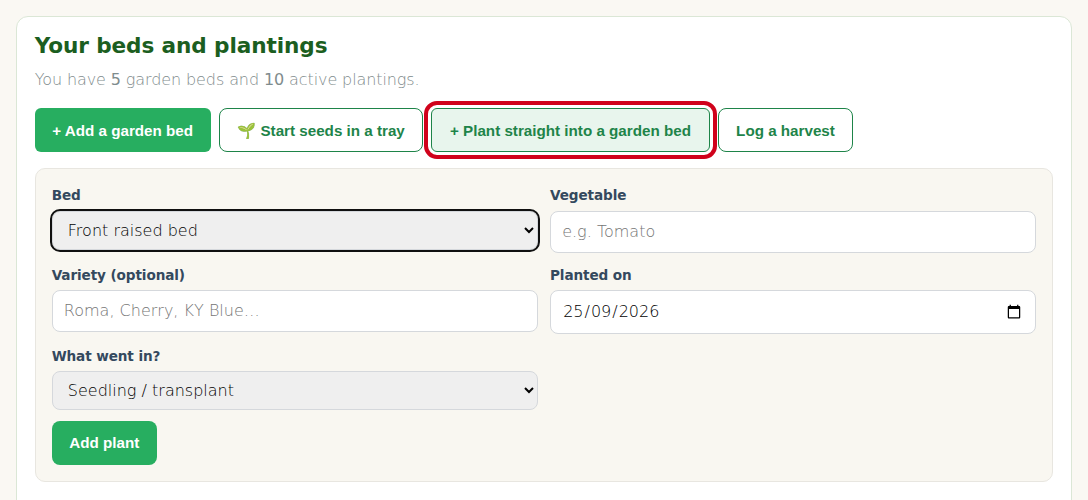
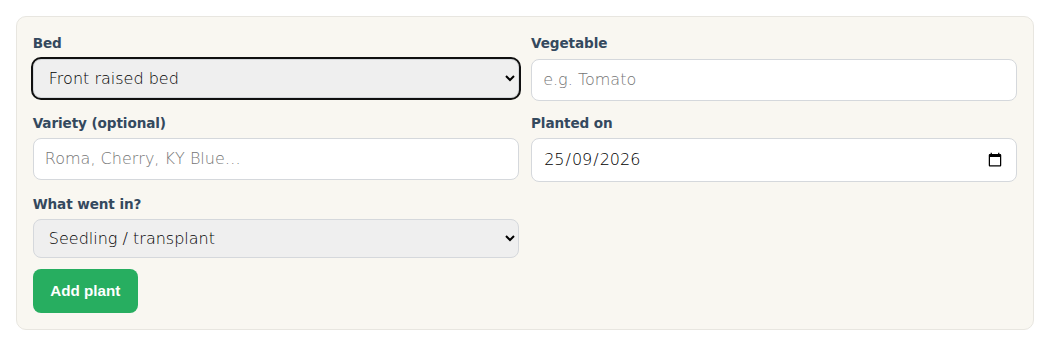
Click + Plant straight into a bed. Five fields, two of them required.
| Field | Required? | Notes |
|---|---|---|
| Bed | Yes | Dropdown of the beds you have made. If it is empty, go and add a bed first. |
| Vegetable | Yes | Type it. Suggestions appear as you go, but you are not limited to them. See below. |
| Variety (optional) | No | “Roma”, “Cherry”, “KY Blue”. Worth filling in, it is the difference between knowing Roma out yielded Cherry and just knowing you grew tomatoes. |
| Planted on | Yes, defaults to today | Back date it if you are catching up on something already in the ground. |
| What went in? | No, defaults to Seedling | Seeds (direct sown), Seedling / transplant, Established plant (vegetative), Flowering, Fruiting, or Mature. This sets the starting growth stage. |
Press Add plant. It appears under Active plantings straight away.
Start seeds in a tray
Click Start seeds in a tray. Four fields, and no bed, which is the whole point. Seed in a punnet does not belong to a bed yet.
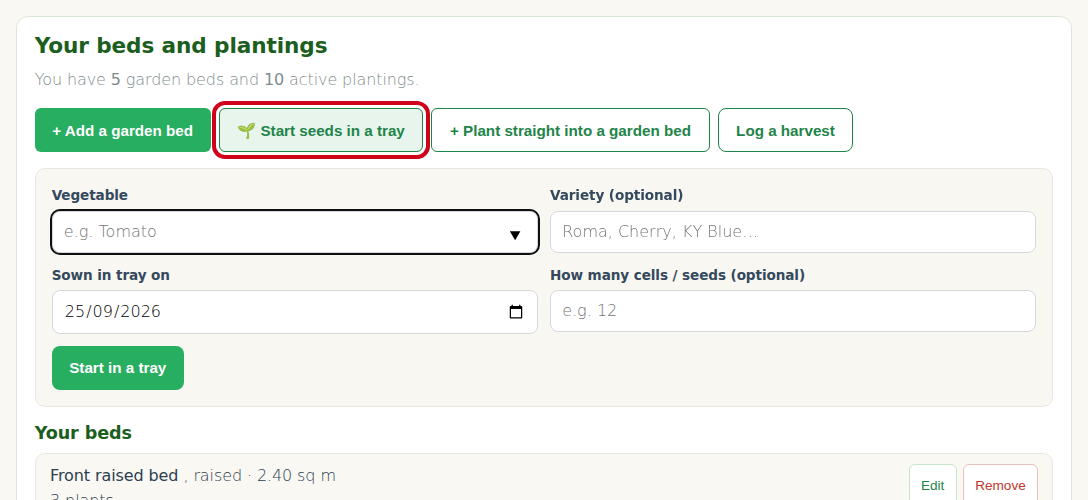
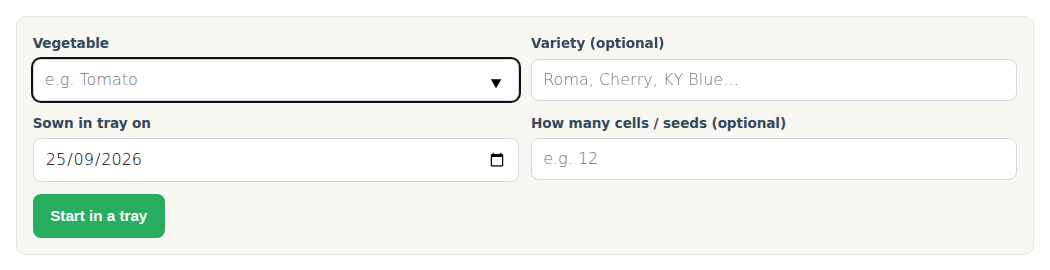
- Vegetable, required, same typing behaviour as the other form.
- Variety (optional).
- Sown in tray on, defaults to today.
- How many cells / seeds (optional), handy later when you want to know your strike rate.
Press Start in a tray. It goes into its own list called In seed trays, kept separate from things growing in beds.
Moving a tray plant into a bed
When the seedlings are big enough to plant out, find the plant in In seed trays and use Move to bed. Pick the bed and save. Three things happen at once:
- the plant is attached to that bed
- the transplant date is recorded
- the growth stage moves on to in ground
It then leaves the tray list and shows up under Active plantings with everything else. You do not create a second plant record, it is the same plant with its history intact, sowing date and all.
Naming the crop, and what the suggestions do
The Vegetable box suggests from a list of about 100 crops as you type. That list is there to save keystrokes and keep spelling consistent. It is not a limit.
Whatever you type is what gets saved. There is no validation against the suggestion list and nothing is rejected. Grow something unusual and it will track exactly like anything else, watering, stages, harvests and all.
The one thing you lose is the shop price match, because the price feed only covers crops it has data for. That crop then shows in your ROI with the weight counted but no dollar figure, which is the honest answer rather than a made up one.
Two small things worth knowing about the suggestions:
- They match on what you have typed so far, so a typo shows nothing. “Watermeleon” will never find “Watermelon”.
- Some crops carry a qualifier in the list, like “Beans, climbing” or “Beans, dwarf”. Pick the one you actually planted, it makes the price match better later.
What happens after you save
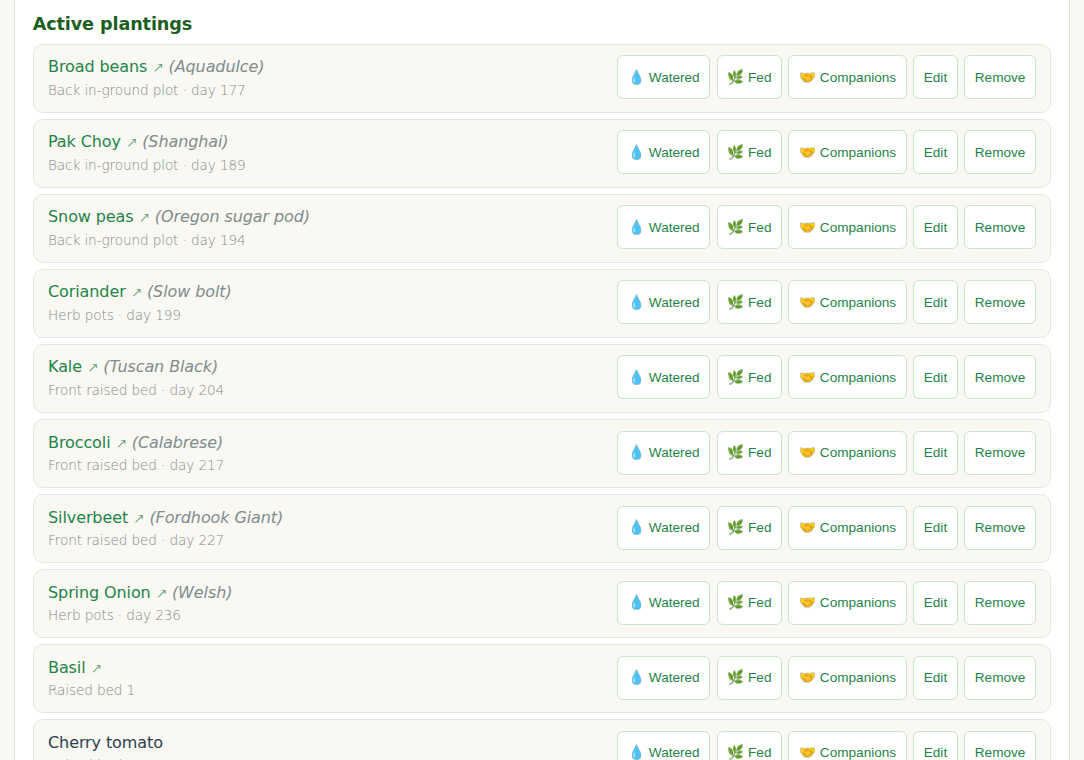
- The plant lands in Active plantings, with its bed, variety and stage.
- Each plant gets its own Watered and Fed buttons, one tap to log a care event, covered in Record watering, fertilising and mulching.
- Edit and Remove sit next to it. Edit lets you change the crop, variety, bed, date, stage and notes, so a plant can be moved between beds at any time. Once you have harvested from a plant, finish it with Edit by setting its stage to Harvested rather than using Remove, because removing it costs those harvests their dollar value. Log a harvest explains why.
- Once you harvest it, the weight feeds your ROI figures.
Troubleshooting
The Bed dropdown is empty. You have no beds yet. Add one first, the plant form needs somewhere to put the plant.
You hit a limit at ten plants. The free plan allows one bed and ten active plants. Starter and Pro lift it.
Your crop shows no suggestions. Check the spelling, then type it out in full and save. It will work.
You added a tray plant and cannot find it. It is not in Active plantings, it is in In seed trays just above. That is by design until you move it to a bed.
You planted the same crop twice in one bed. That is fine and often deliberate, a succession. Use the variety or the planting date to tell them apart.