Some veggies run to seed instead of giving you a harvest if they grow up in long days or heat. Gardeners call it bolting, and a lettuce sown in a Brisbane spring is the usual heartbreak. This post goes through three changes in detail: the amber bolt months, the town picker, and the greeting. All three are live on the website and in the app.
Bolt months now show up in amber
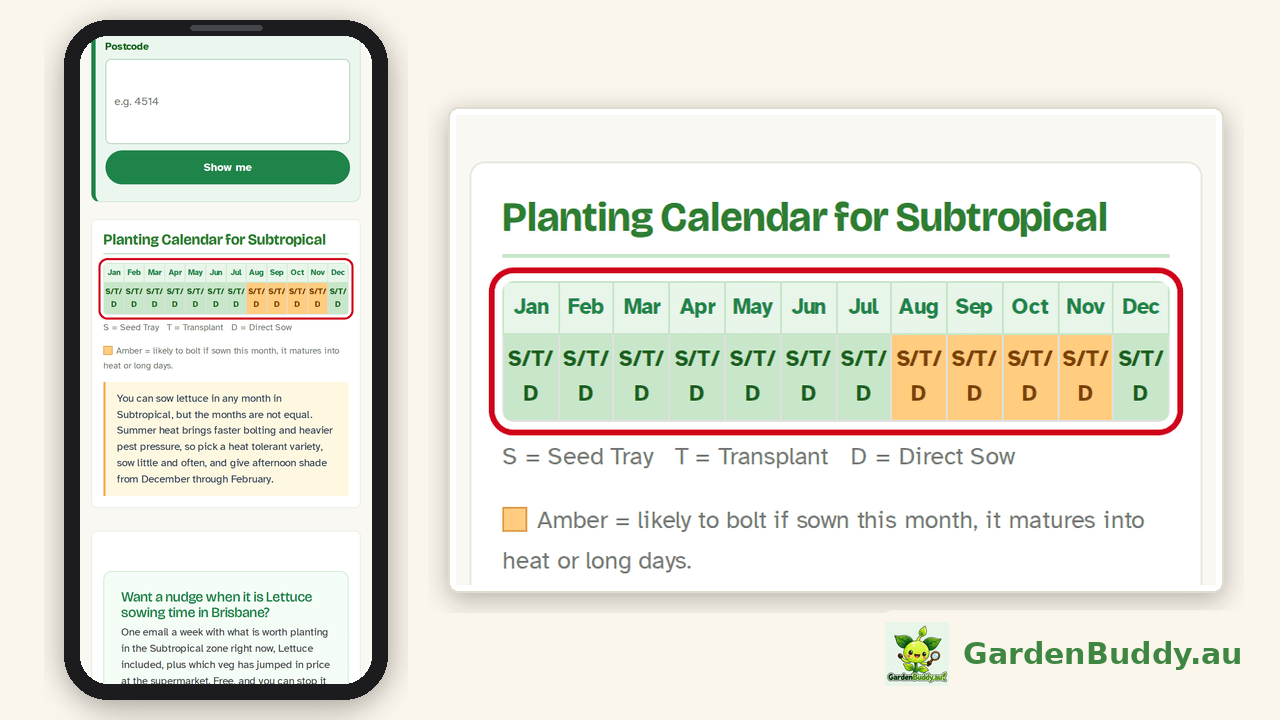
We never hide a month. A month can still be right for you, with shade cloth or a variety that resists bolting. So the month stays in the calendar, and it is now drawn in amber with a short line saying what the risk is. The amber is a warm orange with dark brown text, so it still reads on a phone in full sun.
Which crops
Thirty crops carry bolting advice. Thirteen of them now have bolt months marked in amber, because they bolt for a known reason we can work out from the weather and the day length: pak choy, lettuce, coriander, rocket, spinach, radish, dill, fennel, endive, mizuna, mustard greens, daikon and Chinese cabbage. The other seventeen keep their written bolting advice but show no amber. Sixteen of them (beetroot, broccoli, cabbage, carrot, celeriac, collards, kale, kohlrabi, leek, onion, parsley, parsnip, rutabaga, silverbeet, spring onion and turnip) bolt after a cold spell followed by warmth, which depends on the weather you actually get rather than the month you sow in, so a month grid cannot show it honestly. Basil is the seventeenth: it flowers in long days, and pinching out the buds is the whole answer.
Which months, in your zone
The months differ by climate zone, because the same sowing month matures into very different weather in Cairns and in Hobart. The table is what the calendars show today. Where a crop is not listed under a zone, it carries no amber there.
| Zone | Lettuce, pak choy, coriander, spinach, mustard greens | Rocket, radish, mizuna | Dill, daikon, Chinese cabbage | Endive and fennel |
|---|---|---|---|---|
| Subtropical | Aug to Nov | Aug to Nov | Jul to Nov | Jul to Nov |
| Tropical | Jul to Sep | Jul to Sep | Jun to Sep | Jun to Sep (fennel Jun to Aug) |
| Warm temperate | Oct to Dec | Oct to Dec | Sep to Nov | Sep to Nov |
| Cool temperate | Sep to Dec | Oct to Dec | Sep to Dec | Aug to Nov |
| Cold highland | Oct to Dec | Nov to Dec | Oct to Dec | Sep to Nov |
| Mediterranean | Oct to Dec | Oct to Dec | Sep to Dec | Sep to Dec |
| Arid | Jul to Dec | Jul to Dec | Jun to Nov | Jun to Nov |
How a month earns its amber
For each crop and zone we take every month the crop can be sown, add its days to maturity (rounded to whole months) and look at the month it matures in. That month gets the amber if either of two things is true. One, it is hot: the 1991 to 2020 average daily maximum for the zone is 24°C or more, and that average is at least one degree warmer than in the sowing month, so the plant matures into rising heat rather than autumn heat easing off. Two, the days are long: at the zone’s reference town (Cairns, Brisbane, Sydney, Melbourne, Canberra, Alice Springs or Perth) the day runs 14 hours or more, which is the trigger for spinach and its relatives to flower. The thresholds come from the published spinach research. For the other twelve crops we use the same thresholds for now, and we say so in the data file, so they can be tightened crop by crop as better figures turn up.
What you see, word for word
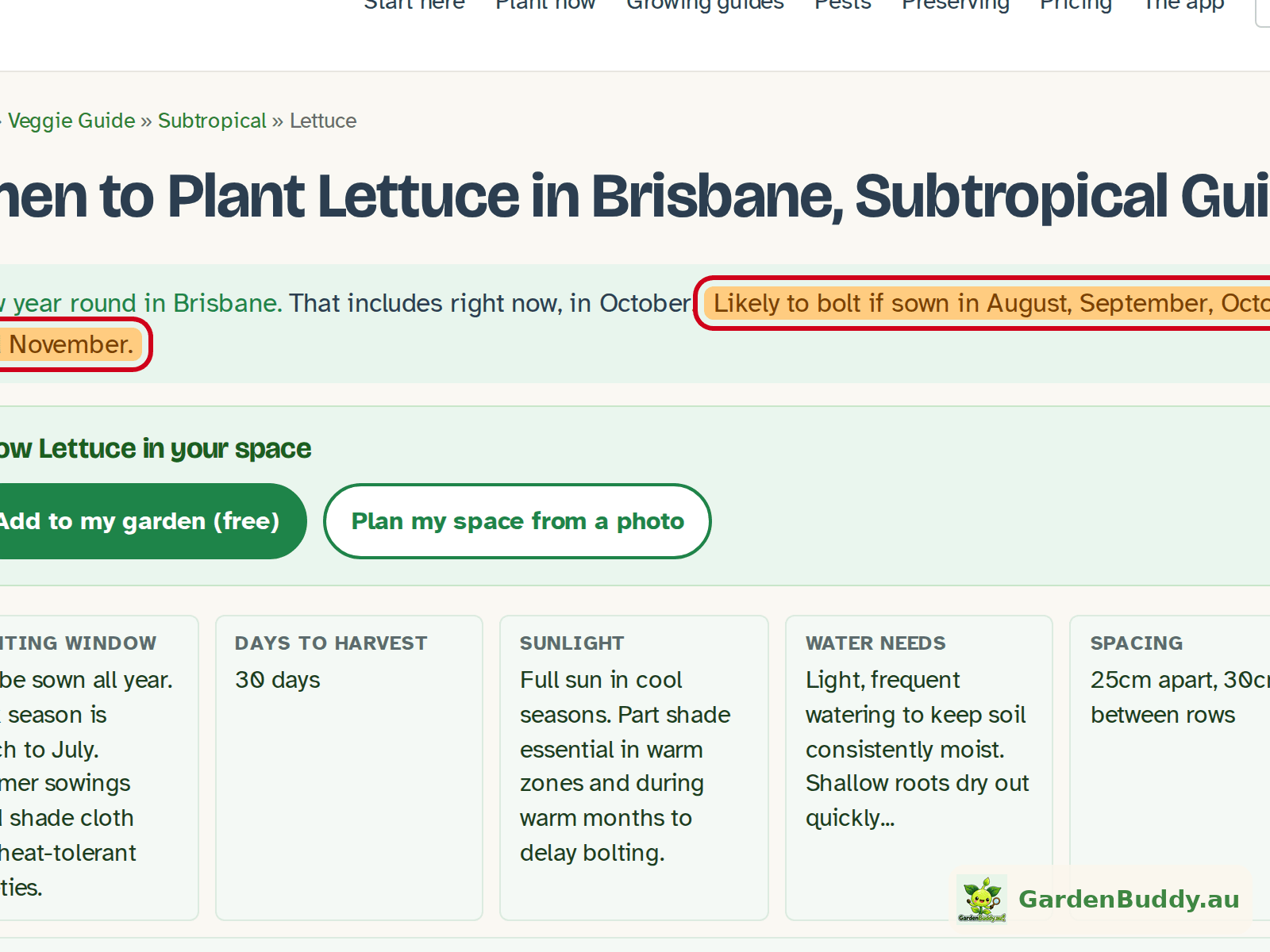
- Crop guides. The answer at the top of every zone guide now ends with the amber sentence, for example “Likely to bolt if sown in August, September, October and November.” The planting calendar further down keeps every month, colours the risky ones, and adds one line to its legend: “Amber = likely to bolt if sown this month, it matures into heat or long days.” Hover or tap an amber month and it says “Likely to bolt if sown this month”.
- Printable planting calendars. Amber squares in the grid, with a longer legend line that explains the choice you have: sow earlier or later in the window, or pick a variety that resists bolting.
- Your home page. What to plant now carries a note under a crop that is likely to bolt this month, and the note says why: it matures as the weather heats up, in long days, or into both.
- Town pages and Start here. The crop chips and lists show a small “bolt risk” tag. An earlier version of this post called it a “likely to bolt” tag, which was wrong, the tag reads “bolt risk”.
- The app. The crop guide window lists, Season set up and the Planner crop list all mark bolt months in amber, with the same “Likely to bolt if sown in …” line.


What has not changed: no month is taken out of any calendar, and a veggie with no bolt risk shows no amber at all. A calendar that quietly drops months looks tidy and is sometimes wrong for your patch. We would rather show you the whole window and tell you which months need care.
Pick your own town
One postcode often covers several towns. 4521 is Dayboro, but it is also Campbells Pocket, King Scrub, Laceys Creek, Mount Mee, Mount Pleasant, Ocean View and Rush Creek, eight places in all. Until now we showed one name for the whole postcode, so a gardener in Ocean View could be told they were in Mount Pleasant.
When you type a postcode that more than one town shares, a “Which town?” list now appears next to the box. Pick yours and that is the name you see on your dashboard, your member home and in the weather boxes. The list comes from the official locality names for every Australian postcode: 18,531 localities across 3,171 postcodes, up to 40 per postcode. A postcode with a single town skips the list and just uses that name.
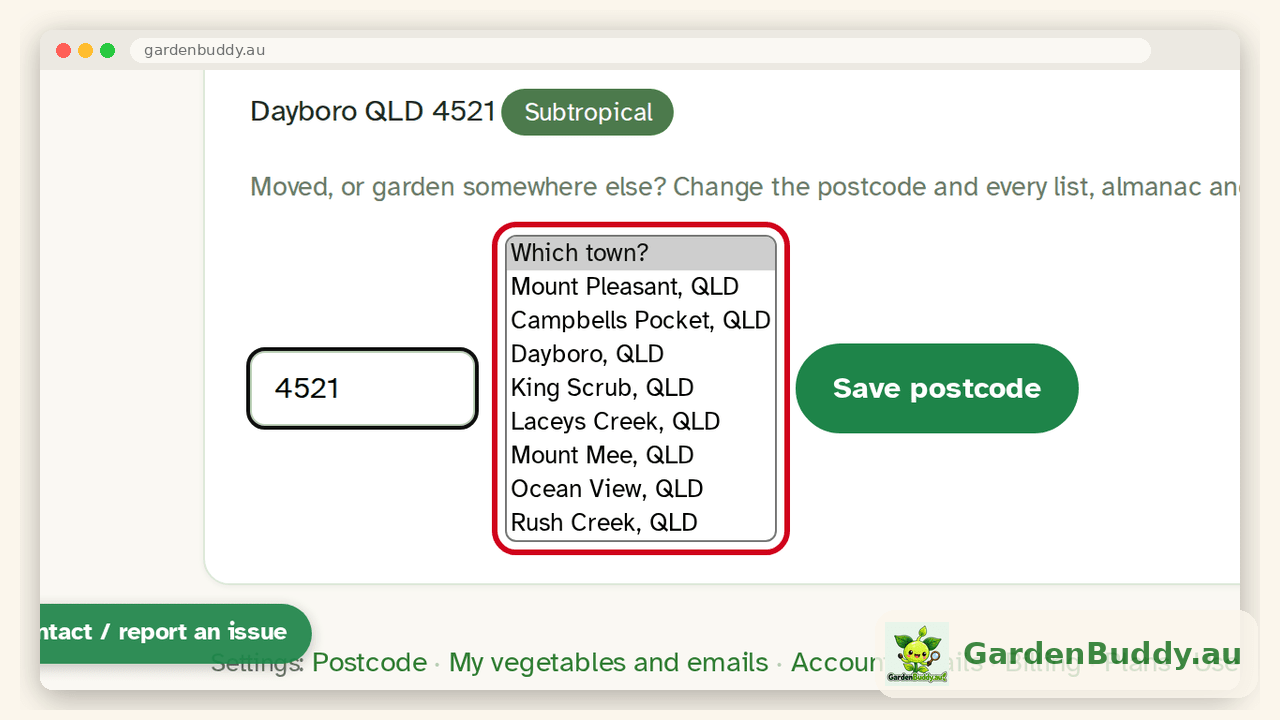
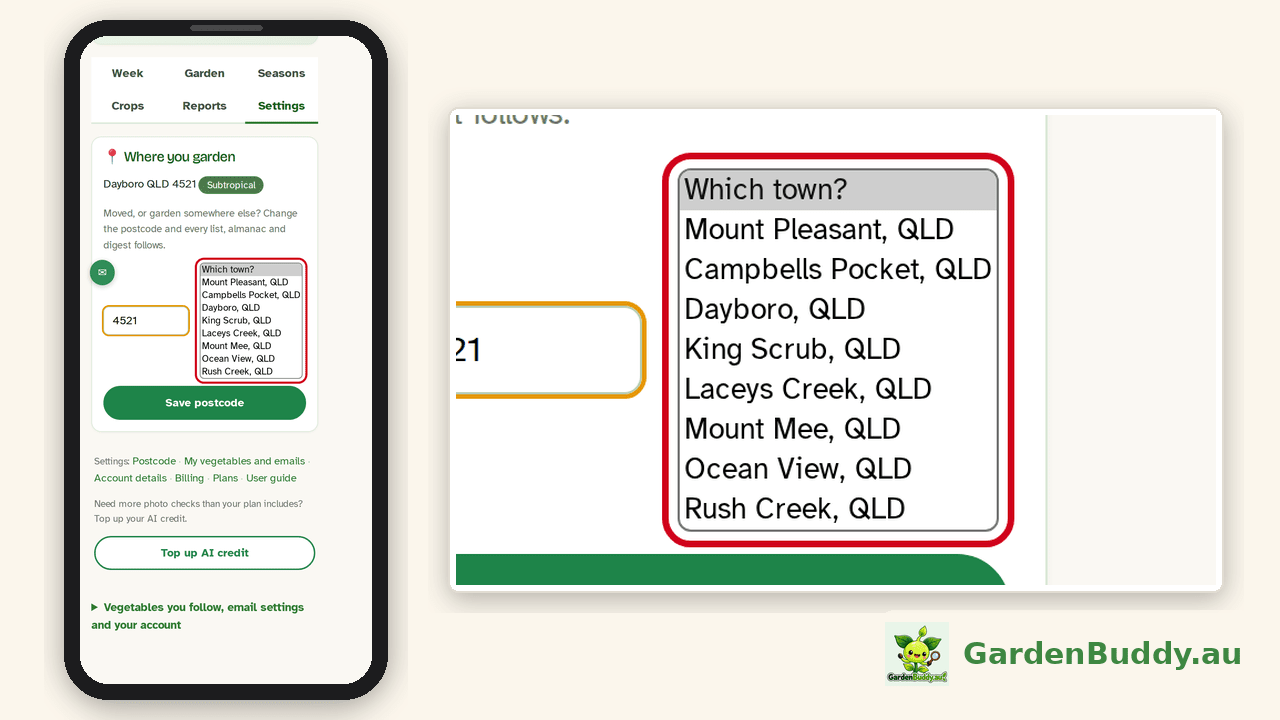
Where to find it: Dashboard, then the Settings tab, then the “Where you garden” card. Your choice is saved with your account, so it follows you from the website to the app. If you have not signed in, the website remembers the town in your browser instead. The sign up form does not ask for a town, only a postcode, so nobody has to choose before they have had a look around.
Your postcode still drives your grow zone, so nothing about your planting advice changes. Only the name does.
A proper hello
One of our testers pointed out that the app greeted her with her login name, something like “sam77”, instead of “Sam”. Fair point. A login name is for signing in, not for saying hello.
The rule is now the same everywhere. If your account has a first name saved, we use it, trimmed of any stray spaces. If it has none, we fall back to your login name, as before. We do not use the display name field, because on nearly every account it is the same as the login name anyway. The exact words differ a little by place:
- Member home says “G’day, Sam”. The welcome card you land on straight after joining says “Welcome to GardenBuddy.au, Sam”.
- The classic dashboard view says “Welcome back, Sam.”
- The app home says “G’day, Sam” as well.
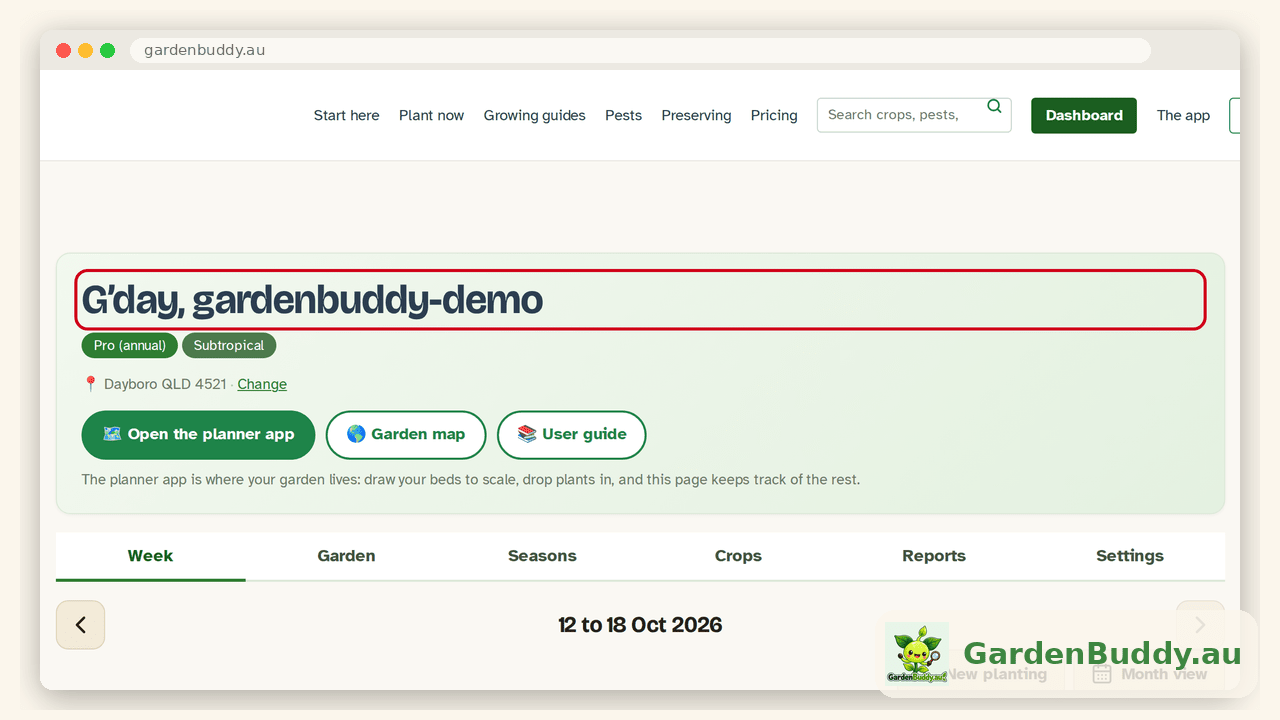
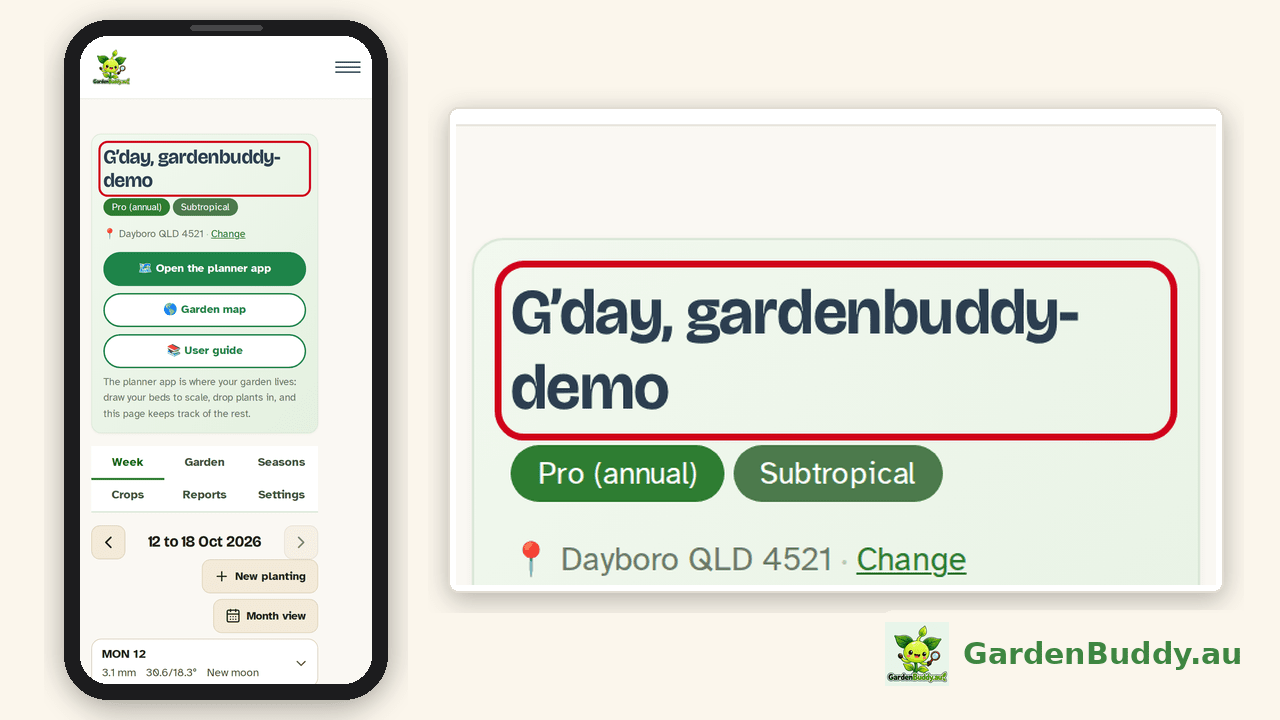
To add or fix your first name: Dashboard, Settings, then “Account details”. It takes effect the next time the page loads.
The GardenBuddy.au team