
My garden records
The gardeners who get better every year are the ones who write things down. This panel is that notebook, kept next to your beds, and it tells you what each reading means.
What it is
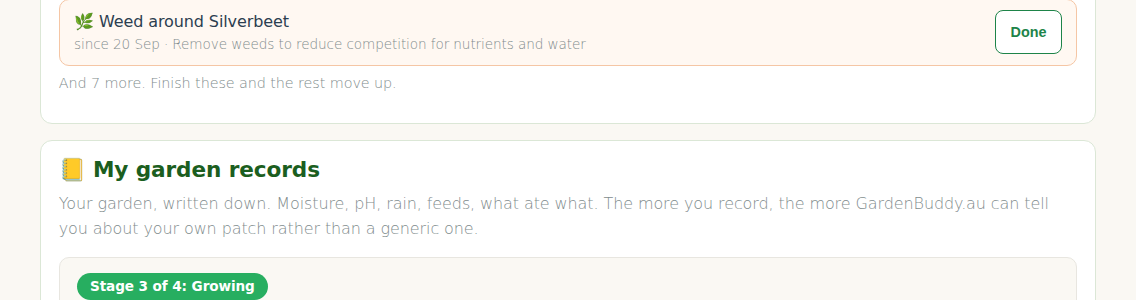
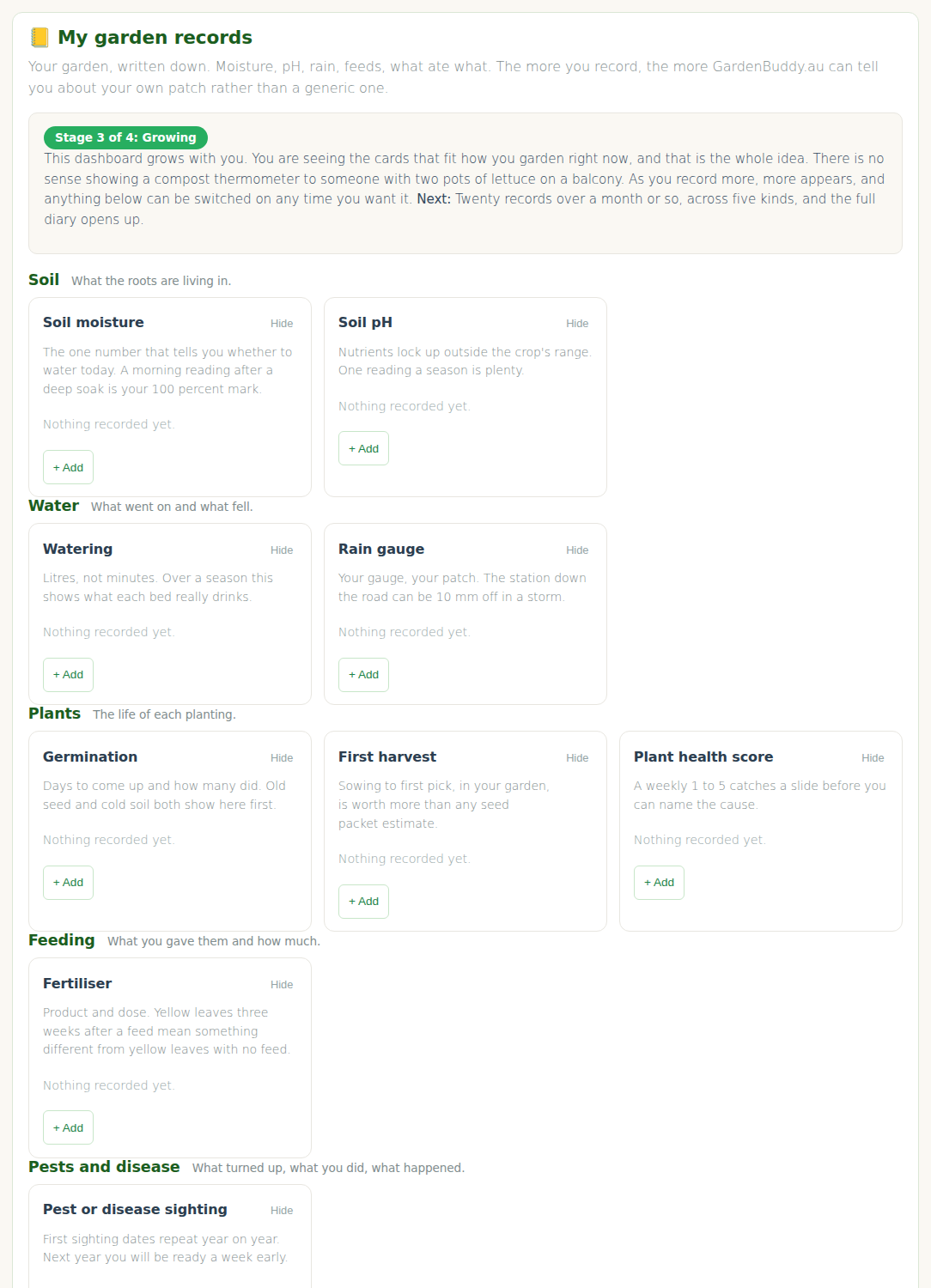
On My Garden, below your garden tasks, there is a panel called My garden records. Each card in it is one kind of thing you can write down: a soil moisture reading, a rain gauge total, a feed, a pest you spotted, the day the first bean came off. You pick the bed or the plant, type the number or pick from a short list, add a note if you like, press Save. The card then shows your latest entry, when you took it, and a one line verdict where the number means something.
Everything you enter is yours alone. Nothing here is shared, scored, or shown to another member.
Why you do not see everything
There are forty three kinds of record. You will see a handful. That is the whole idea, not a limit.
The panel works out where your garden is up to from what is in it: how many beds, how many plants, how many records you have made, how many different kinds, and how many weeks you have been at it. It calls that your stage, and there are four.
- Getting started. No bed yet, or nothing written down. You get soil moisture, watering, a rain line and a diary. Enough for two pots on a balcony.
- First beds. One bed, or one record. Soil pH, feeding, germination, first harvest, plant health and pests join in.
- Growing. Three plants, or five records, or three kinds. Compost, tank level, min and max temperature, mulch, rotation and costs come into view.
- Full diary. Twenty records, five kinds, four weeks. Everything is offered.
The dashboard grows with you and follows your way of gardening. Nothing is locked. If a card from a later stage would help you today, open Later, when your garden gets there at the bottom of the panel and turn it on anyway.
Adding a record
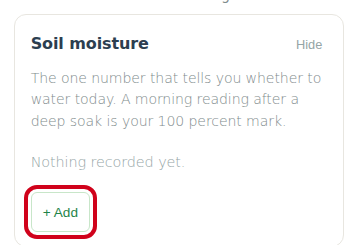
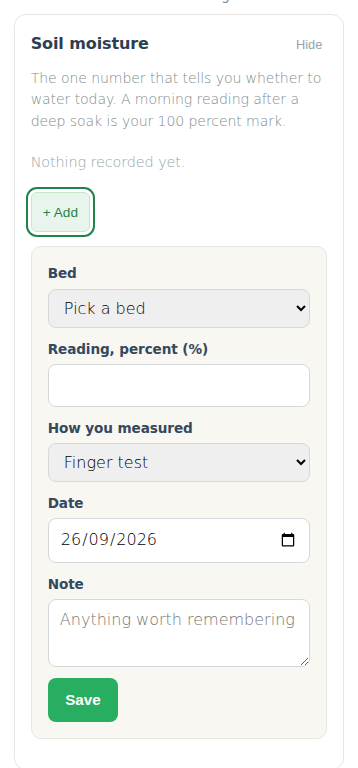
- Find the card, press + Add.
- Pick the bed, or the plant, depending on the card. A pot is a bed. If the list is empty, add one in Your beds and plantings first.
- Fill in the number, or pick from the list. The date is today unless you change it. You can back date, you cannot future date.
- A note is optional. “After the big soak” or “north end only” is the kind of thing you will thank yourself for in three months.
- Press Save. The card updates and, where there is a rule for it, gives you a verdict.
Made a mistake? Each entry has a small delete link. Deleting is permanent.
What the verdicts mean
Three bands. Fine means leave it. Watch means check again in a day or two. Act means do something today. A few cards only report, they do not judge.
- Soil moisture is judged against your own full mark. Take a reading the morning after a deep soak and that becomes 100 percent for that bed. Below about 70 percent of it is watch, below about 45 is water now. Without a full mark the panel uses a plain scale until you give it one.
- Soil pH is judged against the crop in that bed where we know its range, otherwise against the 6 to 7 most vegetables like.
- Soil temperature tells you whether seed will bother germinating.
- Rain gauge says whether the fall was enough to skip a watering.
- Min and max temperature flags a frost night and a scorching day.
- Compost temperature says whether the heap is working, coasting or cooking.
- Germination, plant health, seed viability give a plain good, average, poor.
Switching cards on and off
Every card has a Hide link in its corner. Hiding a card does not delete anything, your records stay and come back when you turn it on again. Below the cards there are two fold out lists: More to record, at your stage and Later, when your garden gets there. Each line has a Turn on button. That is the whole settings screen. Build the panel you want, ignore the rest.
The eleven groups
- Soil: moisture, pH, texture, temperature, amendments.
- Water: watering, rain gauge, tank level.
- Weather at your place: min and max, frost, storm damage, sun hours.
- Plants: sowing, germination, transplant, flowering, first harvest, harvest weight, health, photo, removed.
- Feeding: fertiliser, foliar spray, compost tea.
- Pests and disease: sighting, treatment, result.
- Beds: mulch, cover crop, rested, rotation family, photo.
- Compost: turned, temperature, moisture, feed, harvested.
- Seeds: stock, viability test.
- Money and time: input cost, time spent, produce value.
- Notes: a diary line for anything else.
Six of those already had a home on the site before this panel existed: the jar test, sowing and harvest weight in your planting log, photos, and produce value in the harvest tracker. Their cards link you there rather than asking twice.
Free, Starter and Pro
Free members get a set number of records each month, shown on the panel, and always keep the latest reading of each kind. Starter and Pro are unlimited and keep every reading, with a recent records list under the cards. The numbers come from the plan page, we do not repeat them here so they cannot drift.
A few habits that pay off
- Set your moisture full mark first. One reading the morning after a soak, and every reading after it means something.
- Record pests when you see them and again a week after treating. The result card is the one that stops you buying the same useless spray twice.
- Write the first harvest date down every year. In three seasons you will know your own patch better than any planting calendar does.
- Do not chase the stages. They arrive on their own.