Say you want tomato, basil, carrot and onion in the one new bed this season. GardenBuddy.au’s Companion Planting guide has all four crops on it, but the page just lists rows, it does not lay a bed out for you. Here is how a real gardener reads those rows and turns them into an actual layout decision, checked live against the guide’s own data while writing this.
Under two minutes on turning four crops and one table into a bed layout.
The situation
Four crops picked, one bed to fill: tomato, basil, carrot, onion. Before digging anything, the question is which two go next to each other, which one goes on the edge, and whether any of the four are better kept apart. The Companion Planting guide has the raw answer for that, one row per crop, but you still have to walk each pairing yourself.
What the guide actually showed
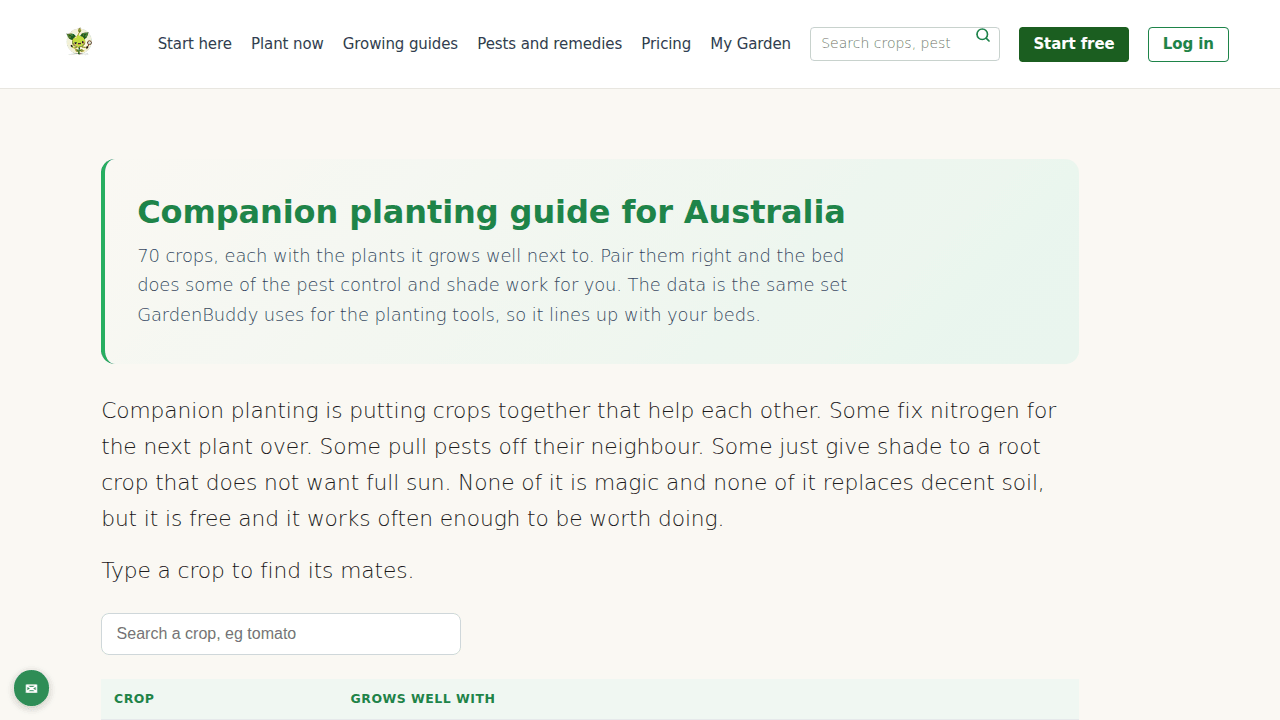
Checked live against gardenbuddy.au/companion/ while writing this, each crop’s row read:
- Tomato grows well with: Asparagus, Chervil, Carrot, Celery, Chives, Parsley, Marigold, Basil
- Basil grows well with: Tomato (the only entry in its row)
- Carrot grows well with: Onions, Leeks, Lettuce, Sage, Peas, Radishes, Tomatoes, Beans, Celery, Rosemary
- Onion grows well with: Lemon Balm, Borage, Carrots, Beets, Silverbeet, Lettuce, Amaranth
Tomato and basil name each other back, and tomato and carrot name each other back too. Onion names carrot, and carrot names onion. That is three confirmed pairings out of four crops. Onion and basil do not appear on each other’s rows at all. That is not a warning sitting in the data, GardenBuddy.au’s companion table has no separate list of pairs to avoid, it simply means the guide has nothing on record linking those two either way.
Why it matters
Companion planting is putting crops together that help each other, not a set of rules that punish a bad pairing. Some plants fix nitrogen for the one next door, some pull pests off a neighbour, some just throw shade over a crop that does not want full sun all day. None of it is magic and none of it replaces decent soil, but reading the rows before digging costs nothing and it works often enough to be worth doing every time a new bed goes in.
The guide states plainly that it uses the same crop data as GardenBuddy.au’s own planting tools, so a layout built from these rows lines up with what your account already tracks, not a separate rule you have to remember on top.
How to lay out the bed, step by step
- Search your main crop first. Type it into the search box on the companion page and read straight down its row. We started with tomato, since it was the crop with the most confirmed companions on this list.
- Check the herb or smaller crop against that row. Basil’s row lists only tomato. One entry, but a mutual one, so basil goes in right beside the tomato plants, close enough to reach when picking either.
- Bring in the root crop next. Carrot’s row lists tomato, and tomato’s row lists carrot back. Carrot goes along the edge of the bed rather than the centre, since it needs the soil disturbed less once seedlings are in and does not want to compete for light with the tomato canopy.
- Add the fourth crop and check both directions. Onion’s row lists carrot, confirming that pairing both ways. Onion and basil are not linked in either row, so we put onion in the remaining corner, furthest from the basil, on ordinary garden sense rather than anything the data said.
- Check the “own bed” list before finalising. A short separate list on the same page names crops that do better kept apart from everything else: Artichokes, Asparagus Pea, Cape Gooseberry, Chilli peppers, Ginger, Horseradish, NZ Spinach, Spinach, Strawberries, Sweet Potato, Tomatillo, Yacon, Yam/Oca. None of tomato, basil, carrot or onion are on it, so nothing here rules the bed out.
- Write the layout down before you plant. Tomato in the middle where it gets the most room to grow up, basil beside it, carrot along one edge, onion in the corner furthest from the basil.
Frequently asked questions
What if two of my crops are not on each other’s rows at all, like onion and basil here? It is not a red flag. GardenBuddy.au’s companion data records pairs that help each other, not pairs to avoid, so an absence just means no recorded benefit, not a recorded problem. Give them ordinary spacing and move on.
Does the search box filter to just that crop’s row? It filters the whole table by whatever text you type, crop names and companion lists both, so searching “tomato” also surfaces every other row that lists tomato as a companion, like basil, carrot, chives and several more. That is useful for exactly this kind of check, since it shows every crop connected to your main one in a single search.
Do I need an account to do this? No. The companion page and its search are free for anyone, logged in or not. An account is only needed for GardenBuddy.au’s planting and bed-tracking tools that use the same crop data behind the scenes.
What if none of my crops share a companion? Check the “own bed” list first, that rules out the crops the guide actively separates. If none of your picks are on that list and none share a row, plant them by ordinary spacing rules. Absence of a listed pairing is not a conflict, just no documented benefit either way.
Related features
- Companion Planting guide: the full walkthrough of what the table shows and where the data comes from is covered in GardenBuddy.au’s Companion Planting Guide.
- What to plant now: check the right planting month for your postcode before locking in a bed layout.
- Grow Zone Map: find your climate zone so timing advice elsewhere on the site matches your own conditions.
- Veggie growing guides: zone-based growing notes for each crop, including tomato, basil, carrot and onion.
Try it now
Head to gardenbuddy.au/companion/, search the crop you are planting first, and walk each addition the way this post did: check the row, check it comes back the other way, then check the “own bed” list before you finalise anything. It costs nothing and takes no account. Brought to you by the GardenBuddy.au team.